The speed camera detector from OOONO: What car buyers should know about privacy and data
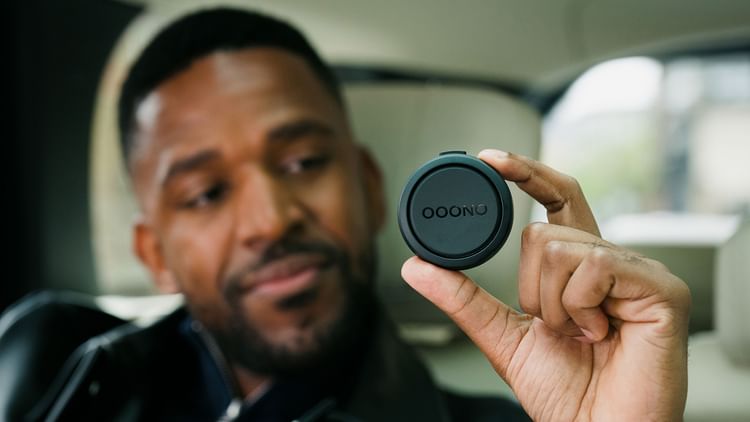
If you’re considering adding a device like the speed camera detector from OOONO to your car, it’s essential to understand how such technology fits into the broader privacy and data landscape of today’s connected vehicles.
As more drivers rely on smart in-car accessories, data collection and storage have become a major topic for anyone mindful of personal information and digital security.
Modern vehicles and accessories such as a speed camera detector can enhance route awareness, driving safety and convenience. Read more about it if you want to see how these devices interact with your car’s ecosystem. Integrating external tools means more data can move between your car, your devices and connected networks, raising questions about what data is being collected, who can access it and how you can take charge of your personal information on the road.
How the OOONO speed camera detector fits into connected vehicles
The OOONO device is designed to help you stay aware of speed cameras and road hazards by communicating with a database through your smartphone. This makes use of your mobile device’s connection rather than the car’s built-in network, but it still means information is transmitted and stored outside of the vehicle. The device itself doesn’t record your journeys, but the paired app may access location and usage details for optimal functioning.
When you use OOONO with your car, the interaction between hardware, app, and cloud database is a typical example of how third-party gadgets add data to your daily drive. While the main goal is to provide alerts and improve safety, it’s important to be aware that location sharing and system notifications can leave a digital footprint, especially if your phone and car are regularly synced with other services.
What kind of data is collected by connected car accessories and apps?
When using a device like the OOONO system, the associated app may collect data points needed for service, such as your smartphone’s GPS location, device ID and travel routes during operation. This information usually supports core features like traffic alerts, speed camera notifications and hazard reporting, but may also be aggregated in anonymised form for improvements to the network or product.
Beyond dedicated detectors, many accessory apps require permissions for background location access, Bluetooth connectivity and notifications. If your car already stores trip logs, voice commands or route searches through infotainment systems, adding a new device expands the number of digital touchpoints that can store or share data related to your travels. Always check privacy policies for both your car and any app you connect.
Privacy settings and data management for car owners
To stay in control of your information when using a speed camera detector from OOONO or similar accessories, begin by reviewing the app’s privacy options. Many apps allow you to limit what data is collected or shared, especially regarding continuous background tracking. Disable unnecessary permissions when the device is not in active use, and look for settings that let you delete stored data or deactivate your account if you plan to stop using the service.
Alongside app controls, remember to regularly update your phone’s security settings, review third-party app access, and clear connectivity logs from your car’s infotainment system. If you share a vehicle or plan to sell it, remove all paired devices and personal accounts from both your car and your phone. Staying vigilant around privacy ensures the benefits of the speed camera detector do not come at the expense of your personal data or digital autonomy.